

Introduction
On a handheld laser welder, wobble width and wobble frequency can look like secondary settings beside power, focus, and travel speed. They are not. Wobble changes the path of the focused beam as it moves along the joint, which changes where the heat goes and how the molten pool behaves. The right setting can produce a wider, more stable bead and give the operator a little more tolerance for normal hand movement or small seam-position changes. Too much wobble, or the wrong frequency for the rest of the recipe, can reduce penetration or make the weld less consistent. A 2026 review of laser beam oscillation reached the same broad conclusion: beam oscillation can improve thermal control and fusion, but the result depends on the complete parameter set. This guide explains what the two controls actually change and how to tune them without chasing a “magic” number.
See whether handheld laser welders deliver professional results without a steep learning curve.
That question matters because most buyers are not only comparing weld quality. They are also weighing portability, ease of operation, compatible materials, productivity, and long-term support. This article looks at how handheld laser welders compare with traditional welding, which materials they work best with, the main pros and cons, and what to consider when choosing a system based on usability, weight, and warranty coverage.
What wobble settings actually control
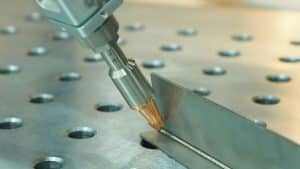
In wobble welding, the beam does not stay on a single centerline. The welding head scans it through a small repeated pattern while the operator or robot keeps moving forward. Two controls describe most of that motion: wobble width sets how far the beam scans across the joint, and wobble frequency sets how often the pattern repeats. Denaliweld lists wobble frequency separately from laser frequency in its Welding Parameter Setting table. That distinction matters because the two values control different parts of the process.
One terminology note is worth keeping in mind. Research papers often use terms such as oscillation amplitude, while machine interfaces may use width, scan width, or wobble size. Those values are not always defined in exactly the same way, especially when the scan pattern changes. Use published research to understand the trend, but use the parameter definitions and starting values for the machine you are actually running.
Wobble width changes where the beam spends its time
Increasing wobble width spreads the beam path over a larger lateral area. The visible bead will often get wider, and the process can become less sensitive to a small centerline error because the scan reaches more of both joint edges. Some manufacturers describes wobble welding as a way to create wider seams, and Denaliweld uses different wobble widths across its own starting recipes rather than one value for every thickness. The tradeoff is straightforward: the same available power is being distributed over a longer scan path. If the width is pushed too far, penetration can fall and the bead can become broad but shallow.
Wobble frequency changes how often that pattern repeats
Wobble frequency is the number of scan cycles per second. Raise the frequency and the beam repeats the pattern more times over a given length of weld; lower it and there are fewer cycles. That changes the timing of heat input and the way the molten pool is stirred. It is tempting to turn this into a simple rule – high frequency for thin sheet, low frequency for thick plate – but real welding is not that tidy. Width, power, travel speed, material, joint design, and scan pattern all change the result. In a 2026 Ti6Al4V study, oscillation amplitude mainly changed weld geometry while frequency strongly affected formation uniformity. That is useful evidence, but it is not a universal recipe for every alloy or handheld system.
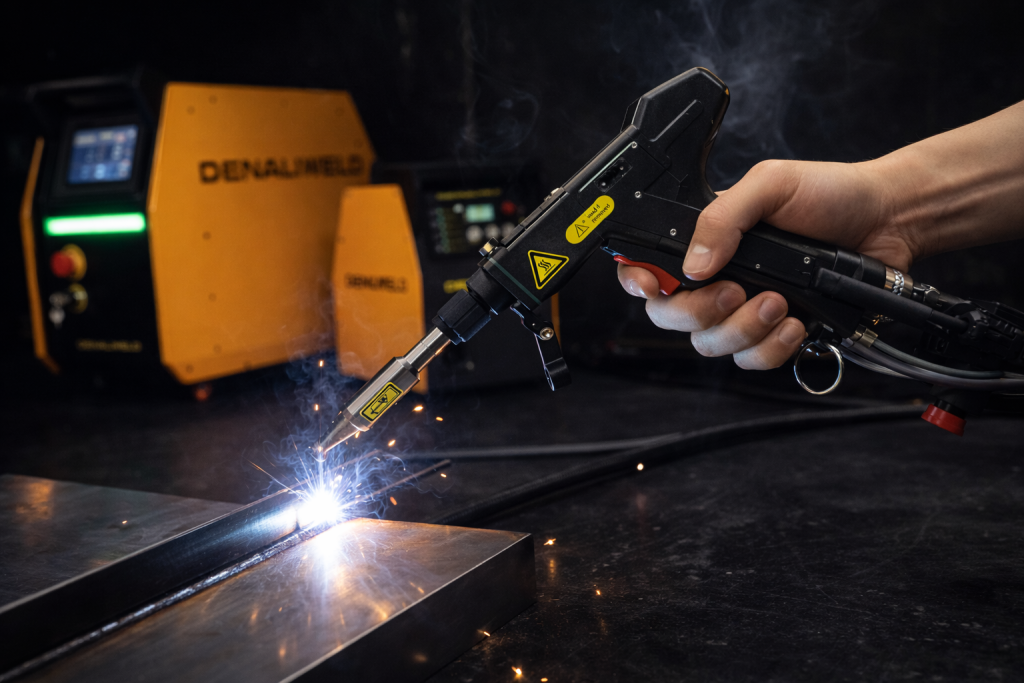
How wobble width affects bead shape, penetration, and fit-up
Width is usually the first wobble setting operators notice because the bead changes visibly. A small increase can broaden the top surface and help the beam reach both sides of a narrow joint. That is especially useful in handheld work, where a perfectly centered path is harder to maintain than it is in a fixed automated cell.
A wider scan does not automatically mean the machine can bridge a larger gap. Wobble can move heat across both joint edges, but it cannot replace missing metal or hold an unstable part in position. If the gap is too large, the beam may melt the edges without creating enough material to bridge them. In that case, better fit-up, improved clamping, filler wire, or a different joint preparation may be needed. IPG specifically positions wire feeding as a way to increase bead size and improve tolerance to poor part fit-up; wobble and filler wire solve different problems.
When a wider wobble makes sense
Try a slightly wider wobble when the bead is too narrow for the joint, both edges are not wetting consistently, or small centerline variation is making the result sensitive to hand position. Make the change in small steps and repeat the same coupon. If the bead gets wider but the root fusion or penetration drops, the wider setting is costing too much local energy density. At that point, either reduce the width or rebalance power and travel speed within the qualified operating range.
When to narrow the wobble
A narrower scan is often the better choice when the joint is already tight and well positioned, the bead is wider than necessary, or penetration is becoming marginal. Keeping the scan closer to the centerline concentrates more of the available energy where the joint needs it. The catch is that a narrow process window gives the operator less room for path error, so joint location and hand control become more important.
What wobble frequency changes in practice
Frequency is less obvious by eye than width, but it still changes the weld. At the same travel speed, a higher frequency places more scan cycles along each inch of seam. That can change surface regularity, molten-pool motion, and how evenly energy is distributed. A lower frequency leaves more distance between successive cycles. Neither direction is automatically better; the useful range depends on the rest of the recipe.
Denaliweld’s published parameter table shows that clearly. Many 1-3 mm carbon-steel and stainless examples use 100 Hz wobble frequency, while several thicker single-wire examples use values from roughly 30 to 80 Hz. Those are tested starting points for the listed material, thickness, wire size, power, and machine conditions. They should not be turned into a general rule that all thin material needs high frequency or all thick material needs low frequency.
Signs that frequency deserves a closer look
Frequency is worth testing when the bead has a repeating surface pattern, the process becomes uneven even though travel speed is steady, or a width change makes a previously stable recipe behave differently. Keep the test disciplined: hold width, power, focus, gas, and travel as steady as possible, then make a modest frequency change. If appearance improves but fusion gets worse, the new setting is not an improvement – it is simply producing a nicer-looking top surface.
How wobble interacts with power and travel speed
Wobble settings do not sit on their own. Power sets the amount of laser energy available, travel speed controls how long the beam acts on a section of the joint, and wobble changes how that energy is distributed across the scan path. Denaliweld’s guide to laser power, speed, and focal position covers the power-and-speed relationship in more detail. Wobble adds another variable to the same heat balance.
For example, increasing width while also increasing travel speed can quickly reduce penetration because the beam is both moving forward faster and spreading its energy across a broader path. Going the other way – a narrow wobble with slow travel – can put too much heat into a small area. This is why parameter changes should be small and deliberate rather than made in several directions at once.
Do not qualify a setting from the top bead alone
A smooth, wide bead can still hide incomplete fusion. When a new wobble setting will be used in production, verify it on a representative test piece using the inspection method required for the application. Check the back side where that is meaningful, look for underfill or burn-through, and section or mechanically test coupons when penetration or strength is critical. The production setting needs to work on the real material, joint, fit-up, shielding gas, and loading condition – not just look good in a photo.

A practical way to tune wobble settings
Begin with the closest machine-specific starting recipe. Denaliweld publishes values for power, wobble size, wobble frequency, gas flow, wire size, and wire speed across several materials and thicknesses. Treat that table as a baseline, not a promise. Run a short coupon with stable fit-up, clean material, correct focus, and consistent travel before changing anything.
If the bead is too narrow or one joint edge is not wetting consistently, adjust width first because that is the setting most directly tied to lateral coverage. If the bead becomes wider but shallower, back the width down or rebalance power and travel. If the surface has a repeating or unstable pattern after width is already in a sensible range, then make a small frequency change. Change one primary variable per test and keep a short parameter log. That record is much more useful than trying to remember which combination “felt” better after a dozen trials.
Finally, make sure you are solving a parameter problem. A dirty protective lens, incorrect focal position, poor shielding gas, inconsistent hand speed, loose fit-up, or an unstable wire feed can make a good wobble setting look bad. If weld quality changes suddenly even though the recipe did not, inspect the setup and consumables before rewriting the parameters.
Conclusion
Wobble width and frequency are best treated as beam-motion controls, not cosmetic bead settings. Width changes how far the beam scans across the joint; frequency changes how often that pattern repeats. A wider scan can improve coverage and make handheld welding less sensitive to small path errors, but it can also reduce penetration if the energy is spread too far. Frequency changes the timing and uniformity of that motion, so it needs to be tuned with width, power, and travel speed. Start with the Denaliweld Welding Parameter Setting, make one change at a time, and verify fusion before saving a production recipe. For application-specific support, contact DenaliWeld.
FAQs
What does wobble mean in laser welding?
Wobble is a controlled oscillation of the laser beam around the weld path. Instead of following one narrow centerline, the beam scans through a repeated pattern that spreads energy across a wider area of the joint.
Does increasing wobble width always improve the weld?
No. A wider wobble often produces a wider surface bead, but it also spreads the available laser energy over a longer path. If the width is increased too far without rebalancing the process, penetration can fall.
Is a higher wobble frequency better for thin material?
Not as a general rule. Some tested thin-sheet recipes use relatively high wobble frequencies, but the result still depends on width, power, travel speed, material, and scan pattern. Use a machine-specific starting point and verify it on the actual joint.
Can wobble bridge a large joint gap?
Wobble can help the beam reach both joint edges and tolerate small positioning variation, but it does not replace missing material. Larger or inconsistent gaps may require filler wire, better fit-up, or different joint preparation.
What should I adjust first: power, wobble width, or frequency?
Start from a tested recipe. If the problem is bead width or edge coverage, make a small width adjustment first. If the bead shows a repeating or unstable pattern after width is already reasonable, test frequency. Change one primary variable at a time and confirm penetration after each change.